Plan your camping trip
Europe road trip planner for camping trips
Caravanios is an app for iPhone and Android, made only for camping trips. Put your dates, stops and travellers into one trip and share it with family. On the road, open the next stop in your maps app.
- Dates, stops and notes for each trip
- Pick who is coming this time
- Send family a trip link


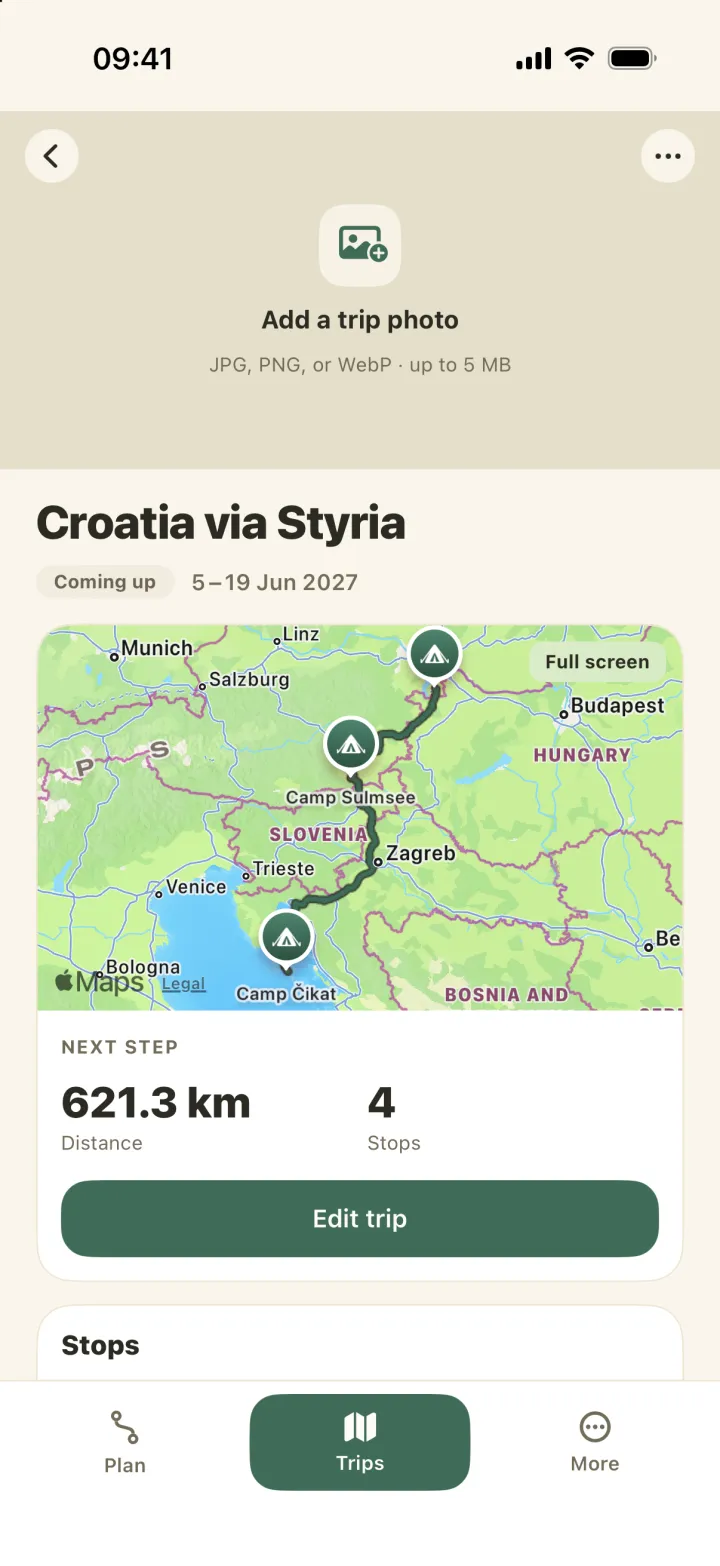
Create a camping trip with dates and stops
A trip in Caravanios has a name, a start and end date, a currency and a vehicle. Then you add the stops in order. A stop can be a campsite, a parking spot or a point the route passes through. A trip can start and end at home.
Each stop can have its own dates and a note, for example “call ahead if we arrive after 8 pm”. You can also add what you expect to pay and what you actually paid.
Tap “Create a trip” and add the stops yourself. Already saved a route plan in Caravanios? A route plan is a route with its stops, without dates; a trip adds the dates and the people coming with you. Turn the route plan into a trip, and you can still use the route plan again. Still looking for places to stay? Find campsites for your route, or browse campsites in a region if you only know where you want to go.
When you are home again, you can copy the trip and get a head start for next year. Curious how a finished one looks? Here is an example of a planned camping trip.
With the free version you can create three new trips in any 30 days, and a copy counts as one of them. With Caravanios Pro, the paid subscription, there is no limit. If anyone in your camping group, the people you camp with, has Pro, it applies to everyone in the group.
Choose the travellers for each trip
Your camping group is the people you go camping with. If you camp alone, it can be just you. For each trip, you pick who from the group is coming this time: they are the travellers on that trip. Travellers do not need the app or an account. Whoever creates the camping group is its admin.
Say three friends in Gothenburg are taking a motorhome to Lake Garda in July, through Denmark and Germany. Anna, who set up the camping group, creates the trip and adds the other two as travellers. If they want to help plan, Anna sends them an invite link. They join the camping group in the app and then see the same trips as she does.
You can split the expenses of the trip between its travellers.
Travellers
- People in your camping group
- No app or account needed
- Picked for each trip
- Invite anyone who helps plan
Before you leave and on the road
Caravanios reminds you 14, 7, 2 and 1 day before you leave and on the day itself. You can switch the reminders off. Before you set off, everyone packs from their own packing list. Together you go through the departure check, a checklist your camping group shares: whoever turns off the gas bottle ticks it off for everyone. More on the packing list and departure check.
While you travel, the trip shows which day of the trip you are on and the “Next stop”. On iPhone, tap “Open in Apple Maps”. On Android, tap “Open in Maps” and choose an app. Caravanios passes on the stop, and that app gives you the directions.
Along the way you can jot down notes. A log shows what you did on the trip, such as an added expense, so you can look back at what happened on which day. You can also save moments: photos and short notes from the road. From them you can build a recap, a look back at the trip. When the trip is over, you can complete it; a completed trip can be reopened if you need to change it.
With Pro, tap “Make available offline” to keep the trip on your phone for when there is no signal. You can still tick off the departure check and packing list and add new moments, and they sync once you are back online. Changes to the route, stops and expenses need a connection.
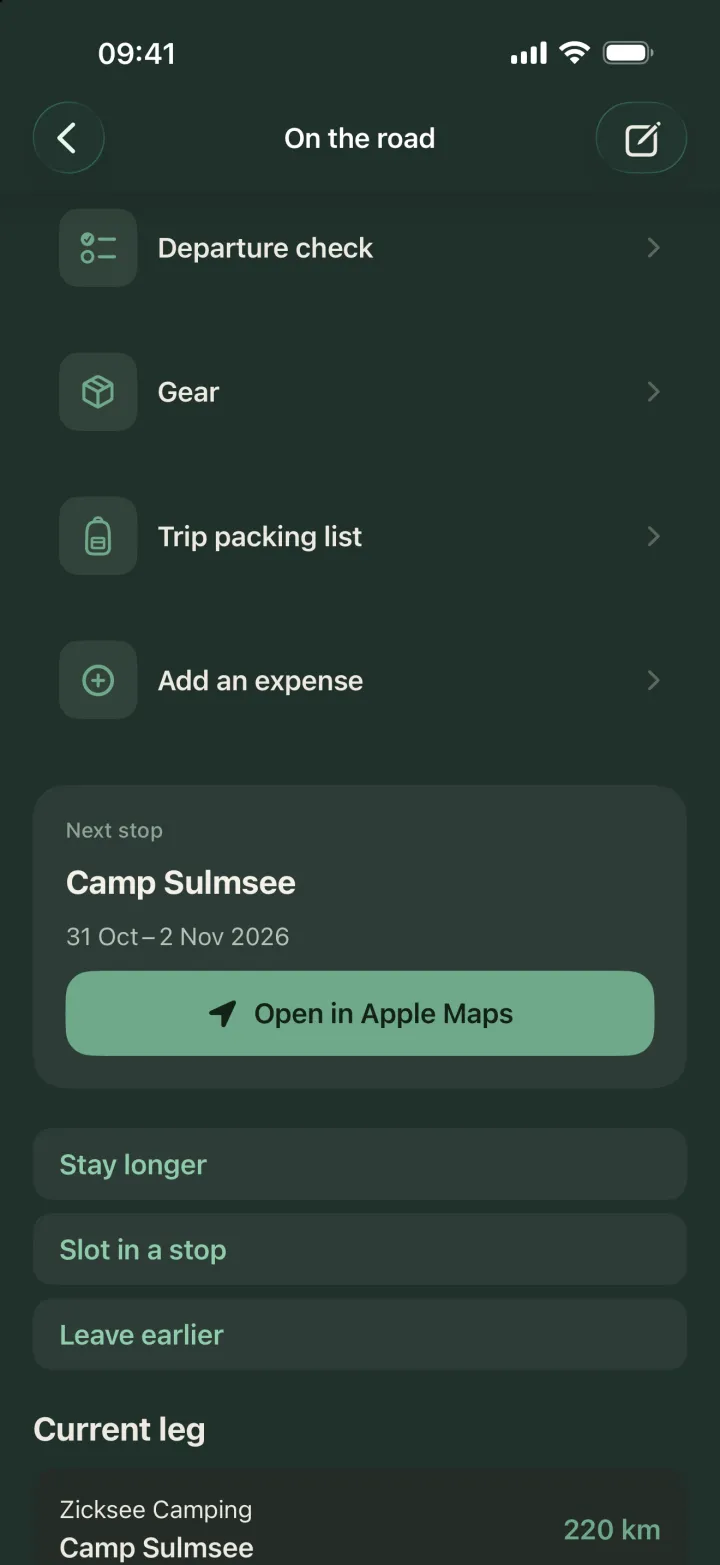
Planning in a spreadsheet or in the app
A spreadsheet does the job for a weekend away or for comparing a few campsites. A note is fine for a single address. It gets harder once three people plan, costs pile up on the road and nobody knows which version is the latest.
Chat, notes, spreadsheet and maps app end up in one place. In Caravanios, the route, stops, notes, costs, packing list and departure check belong to the same trip, and everyone who helps plan sees it.
Common questions
Can I change the dates later?
Yes. You can change the dates and stops at any time. A completed trip needs reopening first: tap “Reopen trip” on iPhone or “Make this the current trip” on Android.
Does it work without signal?
With Pro, “Make available offline” keeps the trip on your phone. Offline, you can tick off the departure check and packing list and add moments. Changes to the route, stops and expenses need a connection.
Does the app navigate?
No. Caravanios hands the next stop to Apple Maps on iPhone or to the maps app you choose on Android. For everything else the app does, see Caravanios as a camping app.
Plan your next camping trip
Create a trip and add your stops and the people coming with you. On the road, open the next stop in your maps app.