Keep track of your vehicle’s gear
Know what gear is in your motorhome or caravan
Caravanios, the camping trip planner, keeps a gear list for your motorhome or caravan. See what is on board, what is at home and what is missing. The list stays with the vehicle and comes along on every trip.
- Mark each item In vehicle, At home, Missing or Used up
- 12 categories, from Kitchen to Documents
- Add suggested gear before a trip with one tap


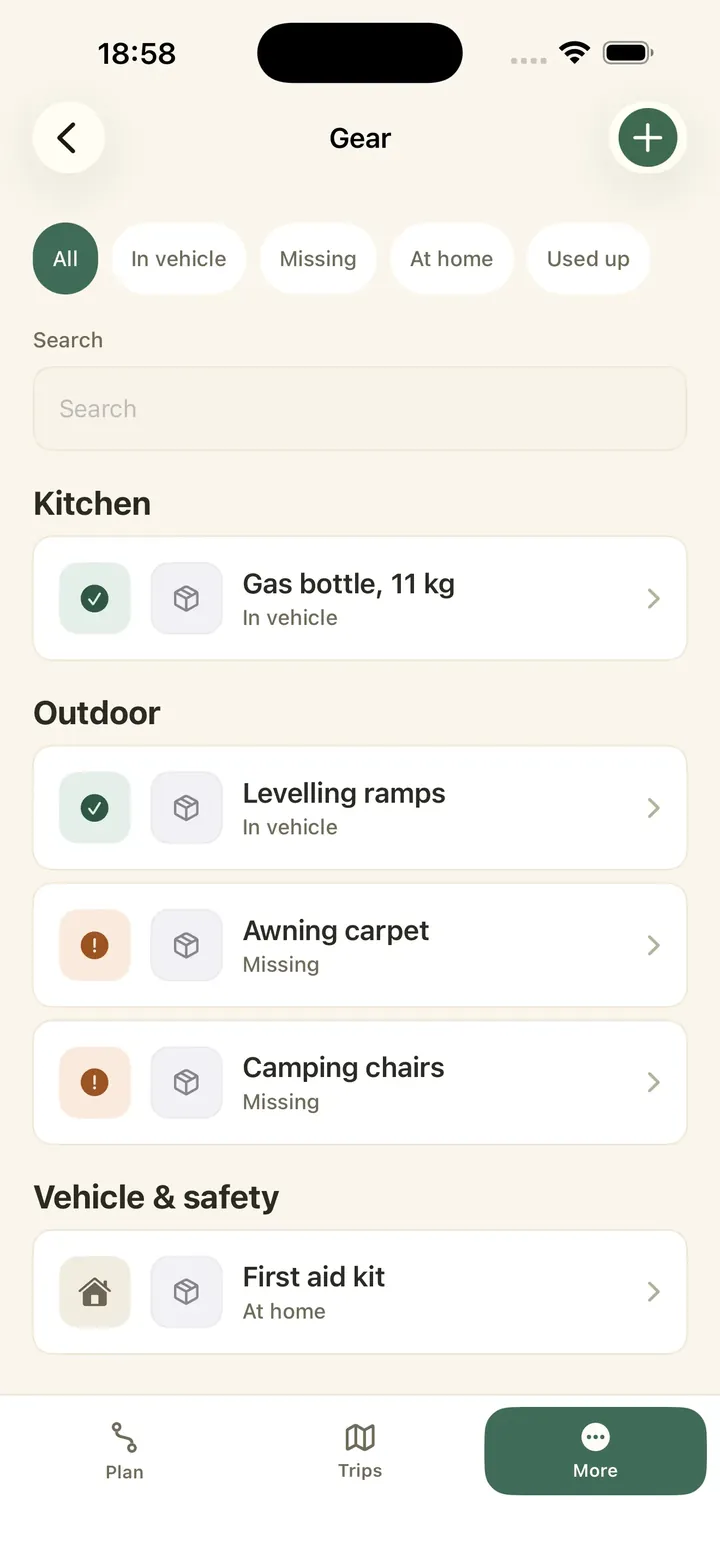
A gear list for each vehicle
Your gear list belongs to the vehicle. Add a vehicle in Caravanios as a motorhome, caravan, van, car or other, and it gets its own. A trip in Caravanios is a planned route with dates and the people coming along. Every trip with this vehicle uses the same list.
Picture this: it is April in Malmö and the season is about to start. In the garage, a family goes through the motorhome and adds what they find. The cable reel stays at home for now. The levelling ramps are already in the locker. The spare gas bottle is missing.
Each item has a title and a status. You can also give it one of 12 categories, such as Kitchen, Water & gas or Tools & spares. Add a note if it helps, for example which locker the hose lives in. Add the vehicle first, then add its gear item by item.
Each gear item
- Title and status
- Category, optional
- Note, optional
See the status of every item in your gear list
Each item in your gear list has one of four statuses:
- In vehicle: it is packed and on board.
- At home: you have it, but it is not in the vehicle.
- Missing: you need it, but it is not in the vehicle yet and you still have to find or buy it.
- Used up: it has run out, like toilet chemicals, coffee or bin bags.
When something changes, tap “Change status” right in the list. Use the filter to see only what is missing, or only what is still at home. That turns a long list into the few things you still need to sort out before you leave.
Mark things as Used up on the last morning at the campsite, and you know what to buy before the next trip.
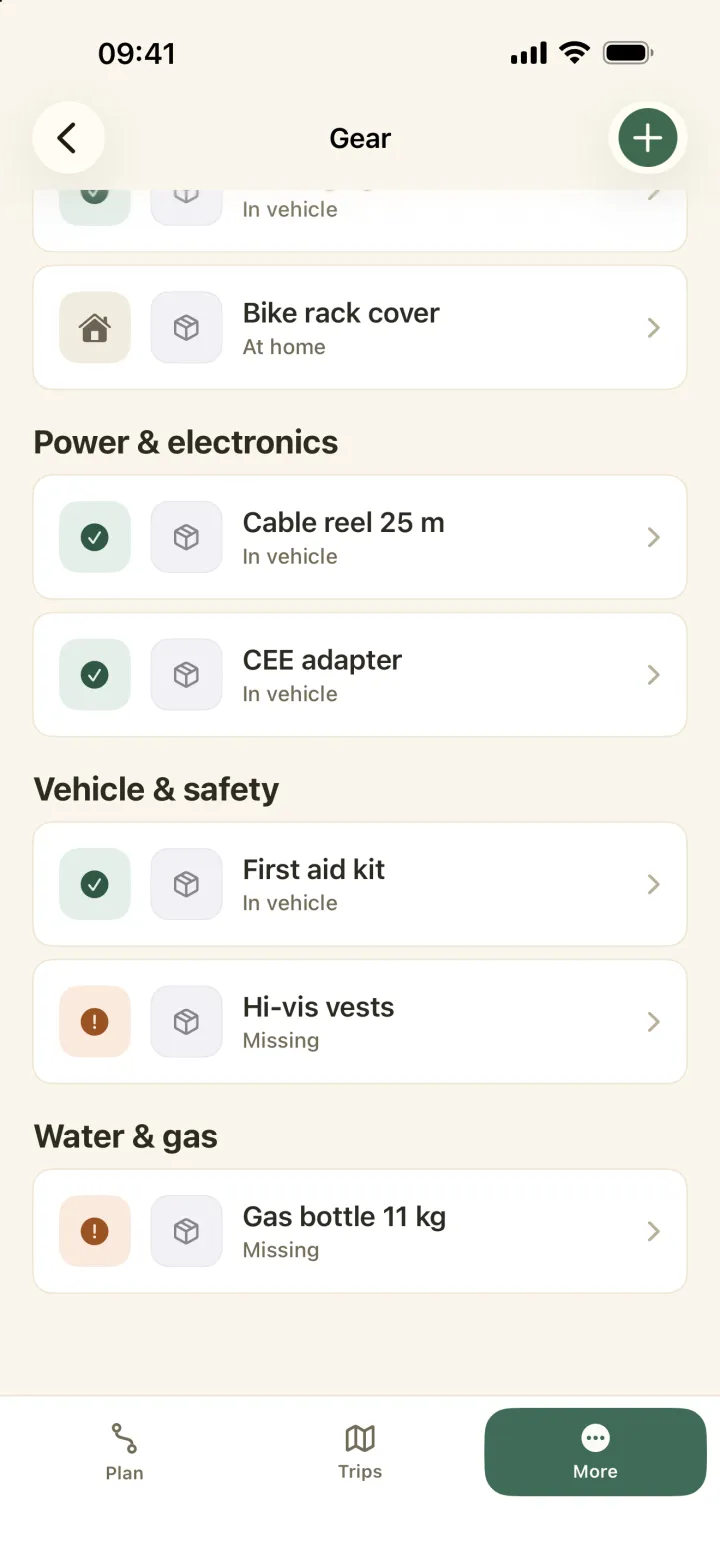
Suggestions for the trip go straight into your gear list
Once you have planned a trip with your vehicle, Caravanios suggests gear for it as the departure gets closer. One tap adds a suggestion to your gear list. It starts as Missing until it is in the vehicle.
The trip shows you how many items are still missing. Gear is what you take along. Clothes and other personal things go on your packing list, and the jobs before you drive off go in the departure check. To learn how they work, read How the packing list and the departure check work.
The day before you leave, Caravanios reminds you to give your gear and your departure check a last look. On iPhone, travel mode, the view of the trip while you are on the road, also shows “Gear still to pack”.
Before you leave
- Add suggestions with one tap
- New gear starts as Missing
- See how much is missing
- Reminder the day before
More gear, gear photos and other camping groups
Each vehicle holds up to 40 gear items for free. With Caravanios Pro, the paid subscription, it holds up to 250.
Pro also lets you add a photo to an item. That helps when someone else has to find the right adapter in a full locker.
Pro covers your whole camping group, the people you camp with in Caravanios. If you travel alone, that is just you. When one member has Pro, everyone in the group gets the 250-item limit and photos.
Already keep vehicles in another camping group? You can import them from there with their gear. If you sell the caravan, archive it and restore it later if you need to.
Common questions
Can I make my own categories?
No. There are 12 fixed categories, from Kitchen and Sleeping to Documents and Other. Use the note for anything more specific.
What happens when I delete an item?
It is removed from your gear list, so it no longer shows up on any trip with this vehicle. If it is only out of the vehicle for now, change its status to At home instead.
Add your vehicle and start your gear list
Add your motorhome or caravan, enter the first item and see what is on board before your next trip.