Search your route for campsites
Find campsites along your route
Caravanios is a camping app for iPhone, iPad and Android. Enter your start and destination, and it shows you the campsites along the way, each with its detour off the route.
- Campsites along the road you’ll actually drive
- The detour and distance along the route for each one
- Save the route and come back to it any time


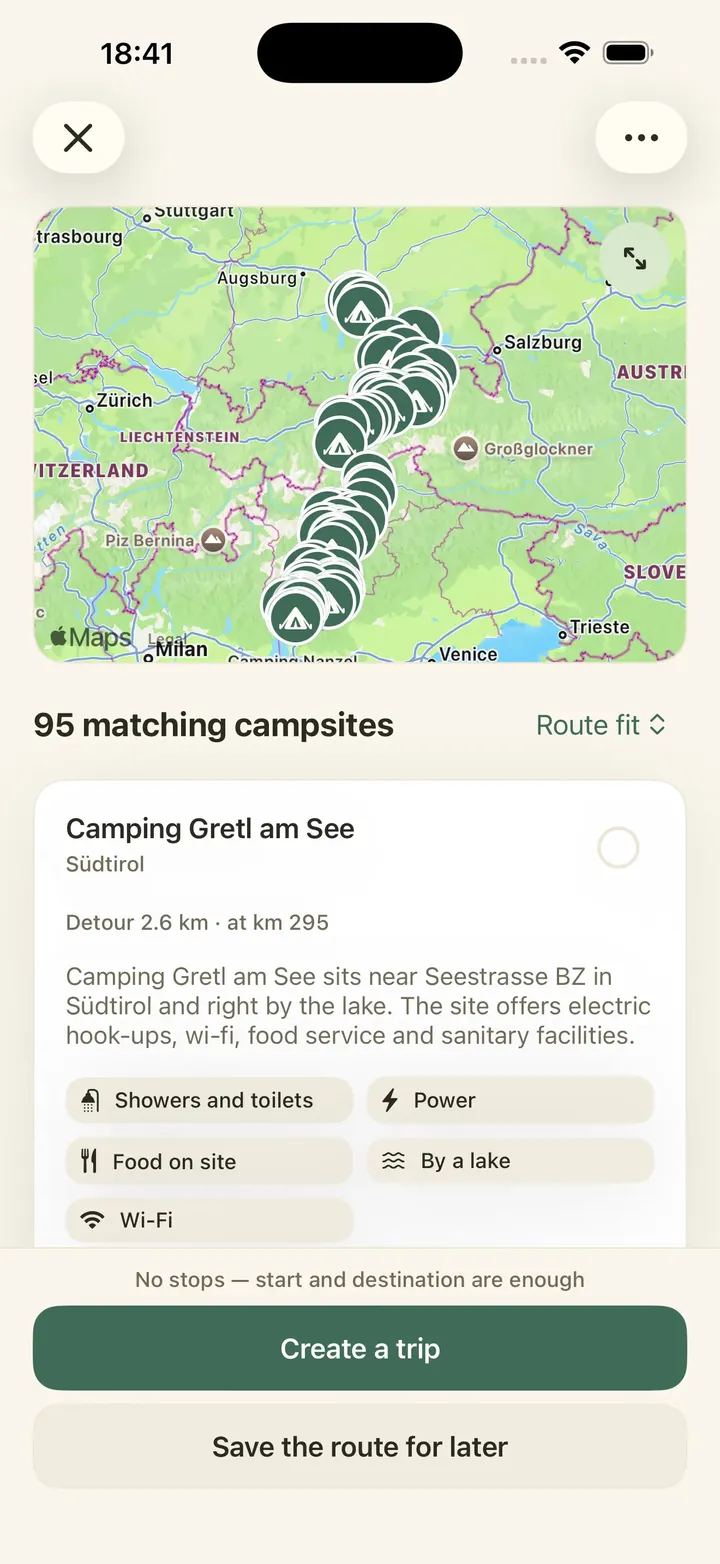
- 01 Enter the route Start, destination and any route points on the way.
- 02 Filter the campsites Only show campsites with power, showers or a spot by the sea.
- 03 Pick your overnight stops Set your daily distance and choose a campsite for each night.
- 04 Save the route Keep the route and your campsites, still without dates.
- 05 Create a trip Add your dates once they’re fixed.
Enter your start and destination
Type in where you set off and where you’re heading. You can start from your current location, from your home base (the rough starting point you saved in the app) or from any other place. To pass through somewhere on the way, tap “Add a stop” and add a route point.
Then choose how far from the road a campsite may be. The search radius goes from 2 to 75 km and starts at 25 km. Keep it small for a quick night near the motorway. Make it wider if you’re happy to drive a bit further for a site by a lake.
Caravanios works out the route and shows you up to 1,000 campsites along it. For each one, you see the detour in kilometres and how far along the route it lies. So you can see straight away whether a campsite is near the start, around the middle or close to the end of the route.
Narrow down the campsites with filters
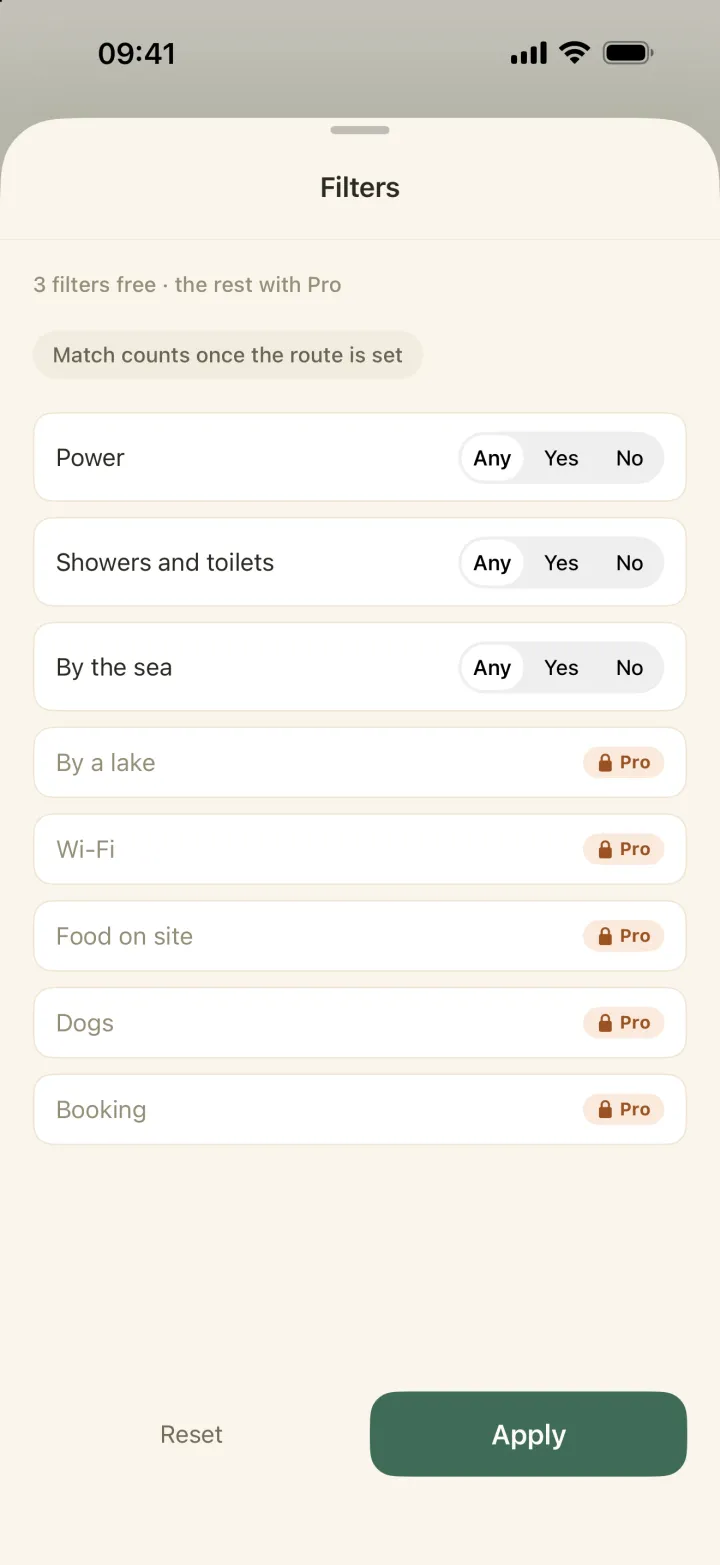
Once the campsites are listed, open the filters and choose what the campsite should have. Power, showers and toilets, and by the sea are free with an account. The other filters carry a lock: they need Caravanios Pro, the paid subscription.
The list then only shows campsites that are known to match. For a night on the way, power and a shower block are usually all you need. At your holiday destination, the beach or a dog-friendly site may matter more.
Pick a campsite for each night on a long drive
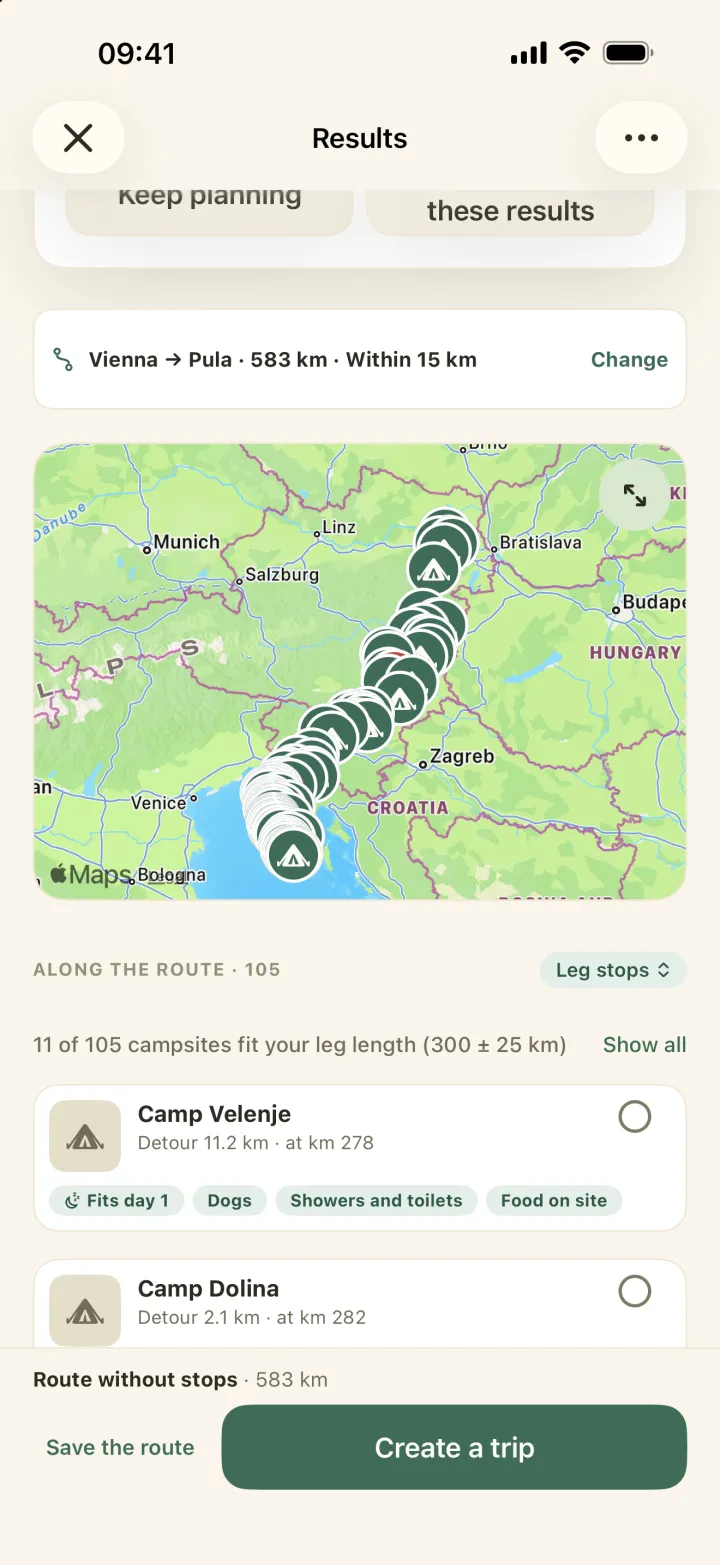
On a long drive, set your daily distance on the results screen: the kilometres you’d like to drive in a day (the field is called “Leg length”). Caravanios then lists only the campsites that fit your driving days, give or take 25 km. You can change that margin.
Tap “Show all” to see every campsite again. So try a few distances until the days feel right.
Open a campsite to see where it is and how to contact it. You’ll also find its facilities, season, price range, dog rules, how to book and a short description. Where Caravanios has the information, there are notes on the area, the best time to go and getting there.
Like the campsite? Tap “Add to selection”. Every campsite you select becomes an overnight stop on your route when you save it.
Save the route as a route plan
Not sure of your dates yet? Tap “Save the route”, and Caravanios keeps it as a route plan. That’s your route with its route points, overnight stops and the campsites you chose, but no dates yet. You can open the route plan again whenever you like and carry on where you stopped.
Already have a GPX file, the format sat navs and other apps use for routes? Import it in the app, and it becomes a route plan too. You can also export any route plan as a GPX file.
Create a trip from your route plan
A route plan is the idea. A trip is the route plan plus your dates and the people coming along. Once your dates are fixed, open the route plan and tap “Create a trip”.
The route points and overnight stops in your route plan come with it into your trip. The route plan stays as it is, and you can use it again later.
What’s free, and what needs an account or Pro
You can try a search without an account. To open campsite details, use filters or save a route, you need a free Caravanios account. You can run 50 route searches a day; running the same search again doesn’t count, and neither does changing your daily distance. A route can have up to 100 points, start and destination included.
Caravanios Pro is the paid subscription. It adds the filters that carry a lock (by a lake, Wi-Fi, dogs allowed, food on site and booking) and removes the daily limit on route searches.
You can keep 10 route plans for free, or 300 with Pro. Route plans you no longer need can be archived and then don’t count. With a free account you can create three trips in 30 days; with Pro there is no limit.
The route is a standard driving route, so it doesn’t allow for the size of your caravan or motorhome. Check any tight roads yourself.
Example: Calais to Sarlat with the caravan
A couple from Kent are taking their caravan through the Channel Tunnel to Calais and on to the Dordogne. They enter Calais as the start and Sarlat as the destination, and add Tours as a route point.
They choose a 25 km search radius and set their daily distance to what they like to tow in a day. Caravanios shows them the campsites that fit, each with its detour and how far along the route it is. For each night they open a few campsites and add the one they like to their selection.
Their dates aren’t fixed yet, so they tap “Save the route”. Once the crossing is booked, they create a trip from the route plan and Tours and the overnight stops come with it.
Common questions
Can I book a campsite through Caravanios?
No. Check prices, free pitches and opening dates with the campsite or its booking service.
Does Caravanios navigate me to the campsite?
No. In the campsite details, tap “Open directions”. That opens Apple Maps on iPhone, or a maps app on Android. The page Plan a camping trip shows what that looks like on a travel day.
Is it for caravans and motorhomes?
Yes, you can plan trips with a caravan or a motorhome.
Enter your route and see the campsites along it
Get Caravanios, enter your start and destination and find a campsite for every night on the way.