Departure check for your caravan
Caravan checklist for the day you set off
Hitch locked, breakaway cable on, mirrors fitted? Caravanios, the camping app for iPhone, iPad and Android, has a departure check: a checklist for the day you set off, ticked off together by your camping group, the people you camp with.
- Your towing items, added once and reused for every trip
- Suggestions for each trip, such as gas bottles and tyre pressure
- Everyone sees which items are still open


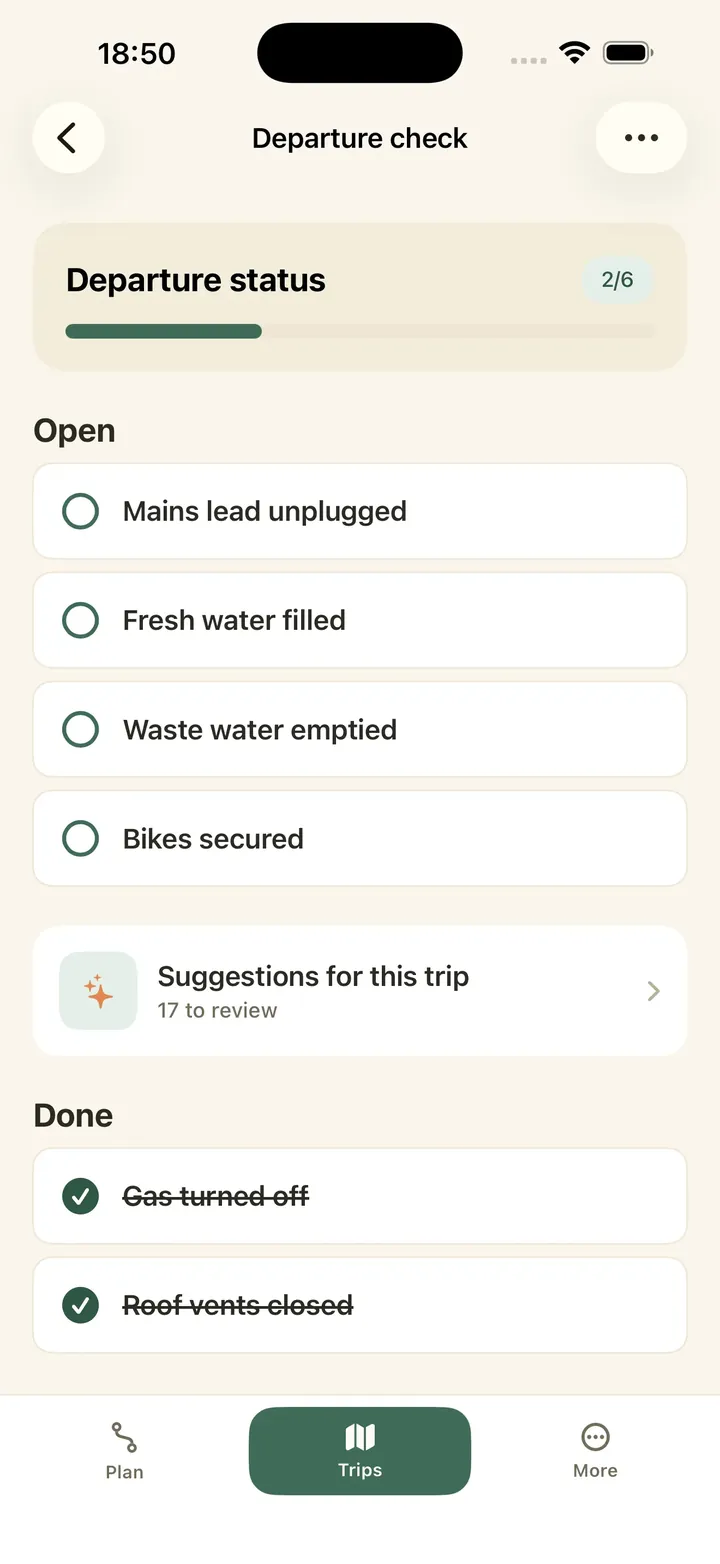
Caravan checklist for towing day: add your towing items once
The departure check has two parts. Your camping group keeps one template, the list you reuse for every trip. Each trip then gets its own list. If you travel alone, your camping group is just you.
The towing items are the ones you add to your template yourself, once, and put in your own words: hitch, breakaway cable, mirrors and noseweight. The app adds its own suggestions for each trip, described in the next chapter.
Hitching up: hitch locked onto the tow ball, breakaway cable attached to the tow car, jockey wheel wound up and clamped, caravan handbrake off.
Before you pull away: towing mirrors fitted and adjusted, lights checked with the tow car (indicators, brake and rear), noseweight checked after loading.
Fill the departure check for your trip
Create the trip in Caravanios, open its departure check and tap “Use your departure check template”. Your items then appear in the trip’s list. You can change the list as you like, and the template stays as it is.
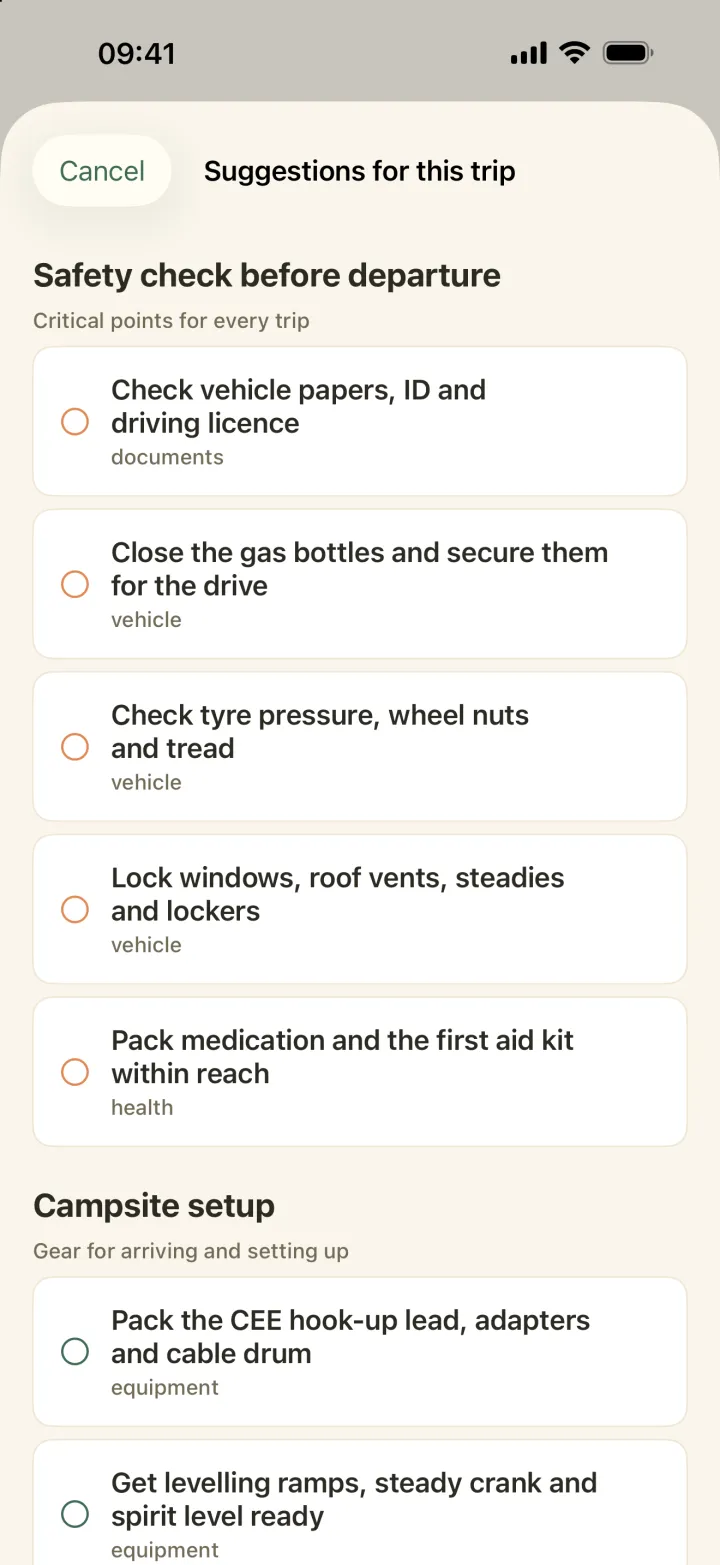
Under “Suggestions for this trip” Caravanios offers items that fit, sorted into sections. The “Safety check before departure” section is always there. Depending on where and when you travel, you also get sections such as “Winter and frost”, “Longer trip” or “Just before departure”. You choose which suggestions to add to the trip.
Tyre pressure, gas bottles, windows and steadies come as suggestions. Your towing items come from the template.
If you camp in more than one camping group, you can also import items from another group’s template.
Ticking it off together on departure day
Invite the people you travel with to your camping group in the app, and you all see the same list for the trip.
Two days before you leave, and again on the day itself, Caravanios sends you a notification: “Get ready to leave”.
No signal on the driveway? You can still tick items off. Caravanios saves them and sends them once you are back online.
To open all items of a trip’s list again, reset the list. The template stays as it is.
Friday afternoon in Zwolle. The caravan is hitched up on the drive. One of you walks round it: hitch locked, breakaway cable on, corner steadies up, mirrors adjusted. Each item gets a tick in the app. In the kitchen, your partner sees on their phone which items are still open.
Common questions
How is this different from the motorhome list?
The motorhome departure check covers gas, water, power and the cab. With a caravan, the hitch, breakaway cable, noseweight and towing mirrors come on top.
Does Caravanios know my caravan’s noseweight?
No. The app does not store weights, so the noseweight stays an item you check yourself.
Can I print the departure check?
No. The departure check is in the app, where your camping group ticks it off together.
Open the departure check for your next trip
Add your towing items to the template once, then tick them off together before you pull away.