Departure check for your motorhome
Motorhome checklist for the day you set off
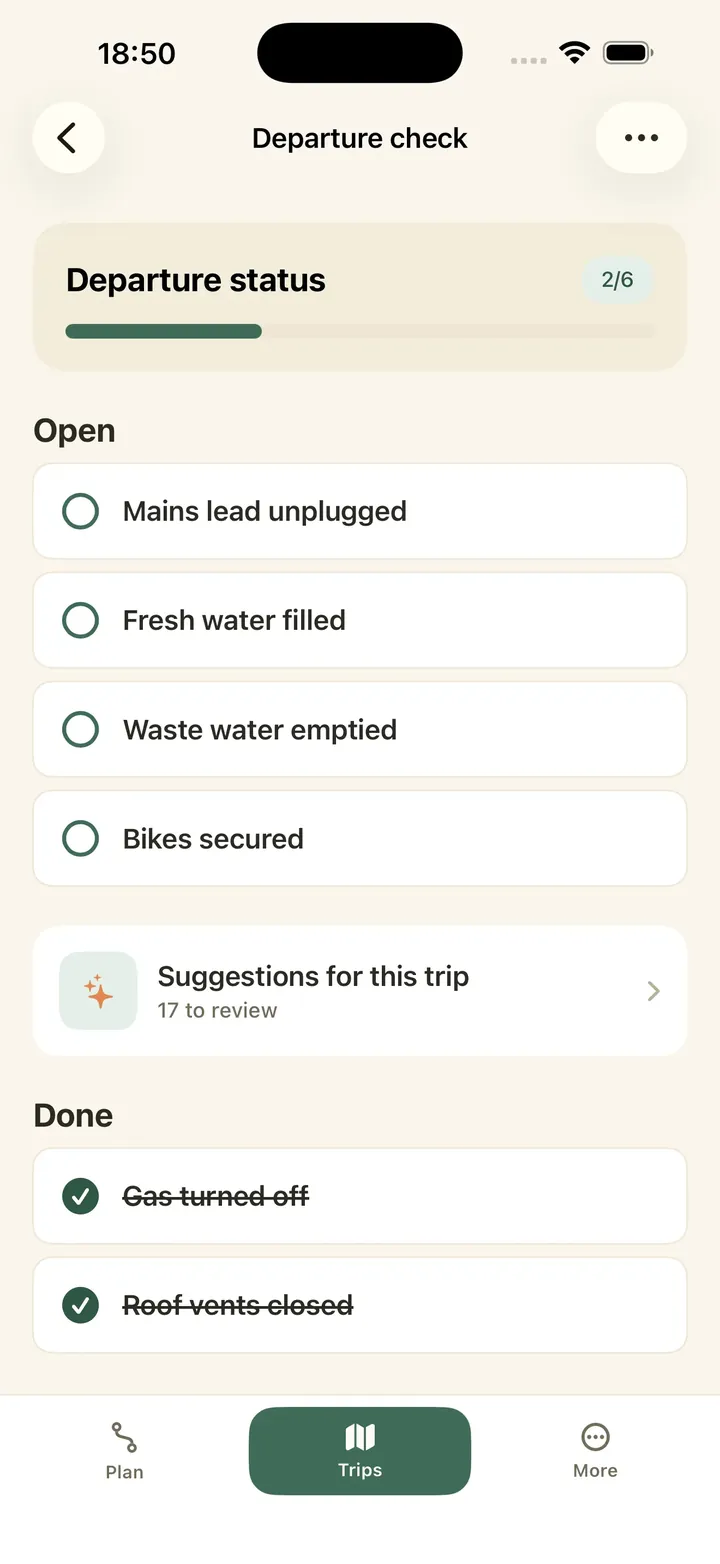
Caravanios is a camping app for iPhone, iPad and Android. Its departure check is your motorhome checklist for the day you set off. Your camping group, the people you camp with, ticks it off together.
- Your own items, added once to your template and used for every trip
- Suggestions for each trip, such as gas bottles and tyre pressure
- Tick items off together, even without signal


On this page
- Example motorhome checklist A walk round your motorhome, from the hook-up to the cab, to copy into your departure check.
- Fill the list for your trip Your own items plus the app’s suggestions for this trip.
- Tick items off together Everyone sees the same list, even without signal.
- What doesn’t go on the departure check Gear and food have their own places.
An example motorhome checklist for departure day
The departure check has two parts. Your camping group keeps one template, the list of items you check before every trip. Each trip then gets its own list, the trip’s list, that you tick off. If you travel alone, your camping group is just you.
Here is one way to go round your motorhome before you leave, so you only walk round it once. Start at the hook-up: unplug and stow the lead, empty the waste water and stow the levelling ramps. Outside, bring the awning in, put the steps up and strap the bikes to the rack. Check that the gas bottles are closed, the tyre pressure is right and the roof vents and lockers are latched. Finish in the cab: turn the seats to face forward and check that the papers and your driving licence are on board.
Add the items that fit to your template in the app, under “Departure check template”. Leave out anything your motorhome doesn’t have, and add what only yours needs. There is no limit on how many items you add.
Fill the departure check for your trip
Fill your template once, then use it for every trip. Create the trip in Caravanios, with where you are going and when. Open its departure check and tap “Use your departure check template”. Your items then appear in the trip’s list. You can change the trip’s list as you like, and the template stays as it is.
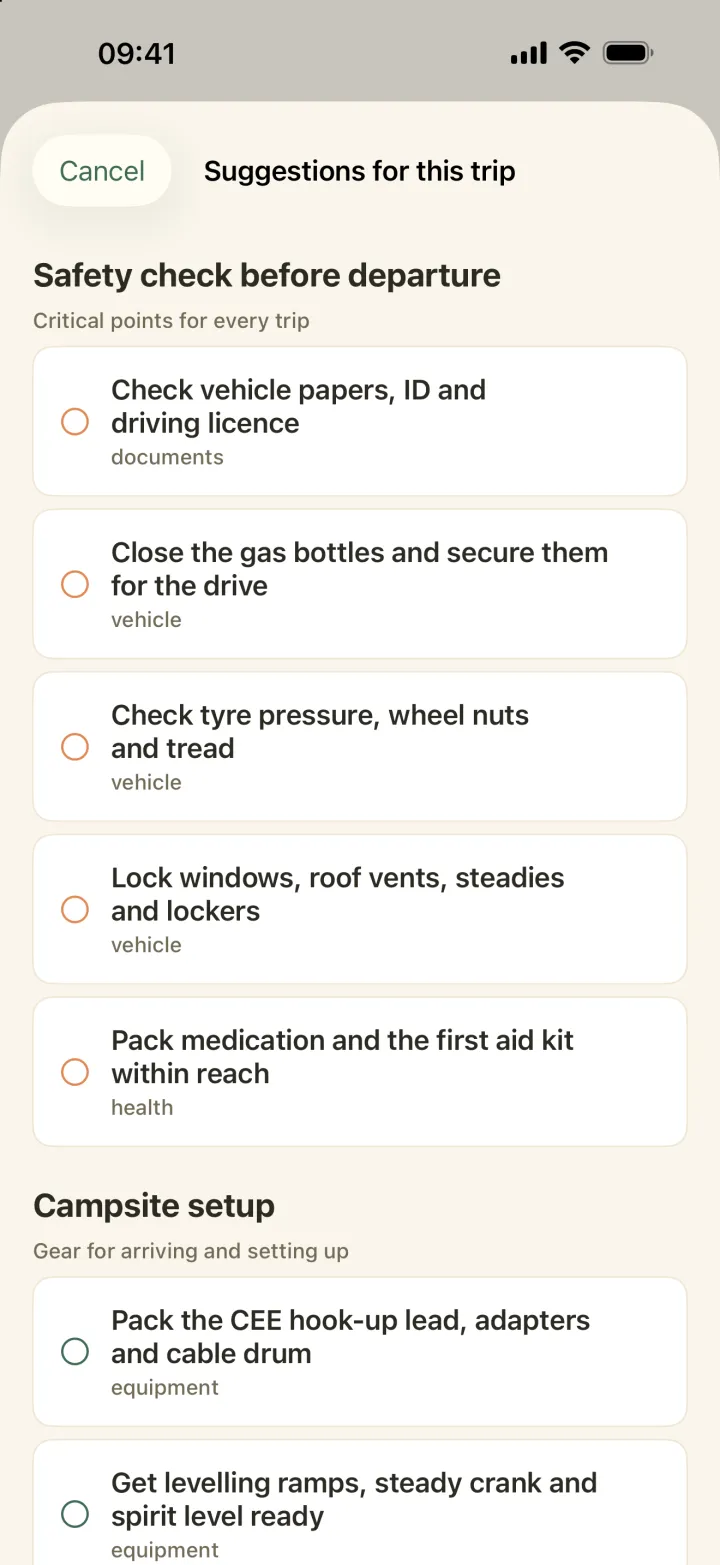
Under “Suggestions for this trip” Caravanios offers items that fit, sorted into sections. The “Safety check before departure” section is always there. Depending on where and when you travel, sections such as “Winter and frost” or “Longer trip” come up too. You choose which suggestions to add to the trip.
If you camp in more than one camping group, you can also import items from another group’s template.
Tick it off together, even without signal
Saturday morning on the driveway. One of you walks round the motorhome and ticks off each item in the app. Invite your partner to your camping group, and they see the same list and every tick on their phone.
No signal on the pitch? You can still tick items off. Caravanios saves your ticks and shares them with your group once you are back online.
While you are travelling, the app points out when a critical check is still open. After the trip you can reset the ticks on that trip’s list; the template stays as it is.
If items are still open, Caravanios reminds you two days before you leave with “Get ready to leave”.
What doesn’t go on the departure check
Putting the lead and the ramps away is a step on the list. Whether they are on board at all is gear, the things that stay with your vehicle, like a cable reel, ramps or adapters. Add your motorhome in Caravanios with the type Motorhome. The app then shows whether each piece is in the vehicle or still in the garage. See how that works on the page Gear list for your motorhome.
Food, clothes and shopping don’t go on the departure check either. In Caravanios you can set up a packing list for the trip next to your departure check.
The departure check is free for everyone. You don’t need Pro, the paid Caravanios subscription, which one person can take out for your whole camping group.
Common questions
Do I need a different list for a caravan?
The departure check is the same. A caravan only adds towing items, such as the hitch, breakaway cable and mirrors. See the caravan checklist before departure.
Which phones does it work on?
On iPhone, iPad and Android. Everyone in your camping group sees the same list, whichever phone they use.
Can I get the checklist as a PDF?
No. The departure check lives in the app, where you tick it off and everyone in your camping group sees what is done.
Open the departure check for your next trip
Add your own items to the template, pick from the suggestions and tick everything off before you drive away.