

Next stop
The trip identifies the next planned stop on a driving day.
Travel days
When the trip includes a driving day, Caravanios puts the next stop and practical trip details within easy reach.
Use the trip for context, then hand the driving over to the navigation app you already use.
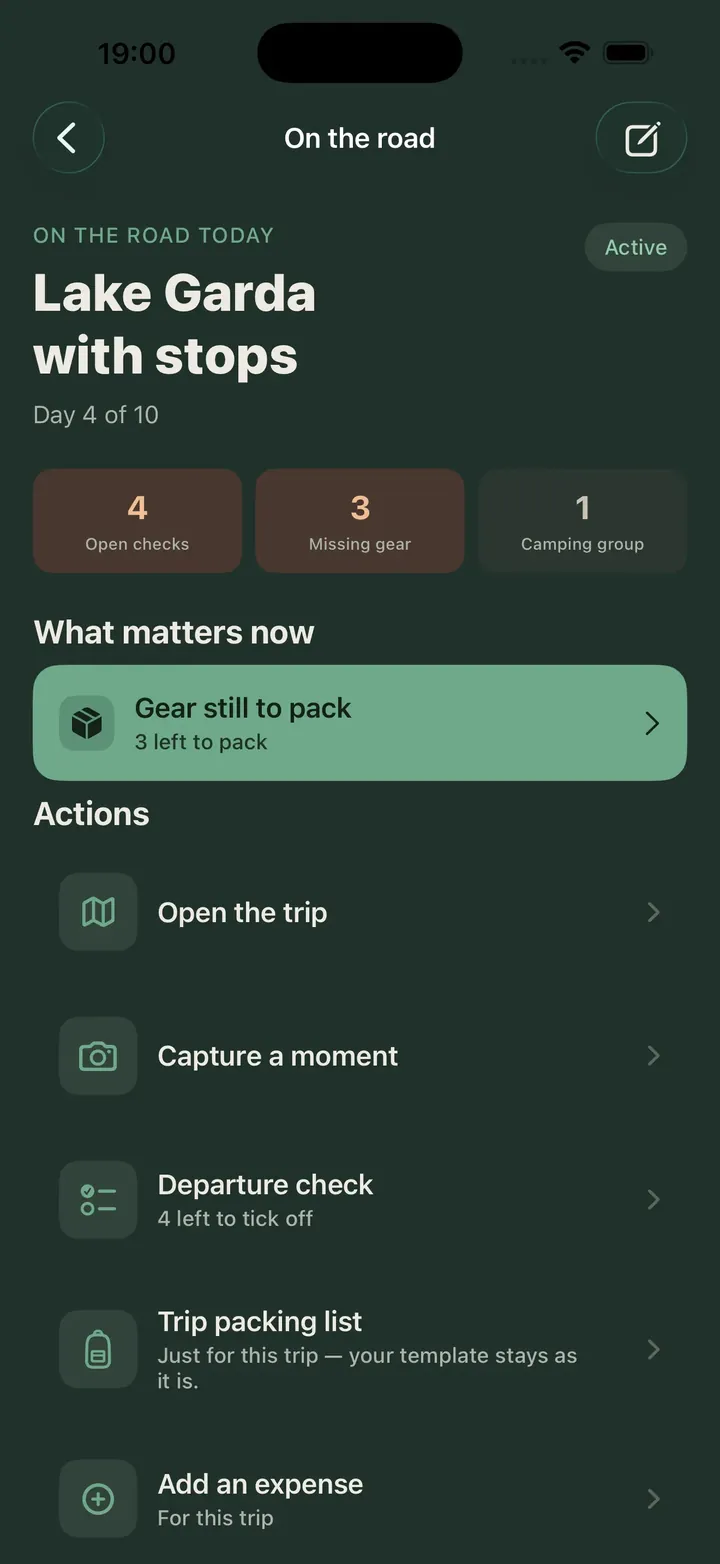
The trip identifies the next planned stop on a driving day.
Notes, open preparation and expenses remain with the trip instead of a separate travel-day list.
With Pro, a complete trip package deliberately saved for travel can be opened without a connection. Supported checklist changes can queue for later sync; expenses and route edits still need a connection.
Open the saved trip while parked, check the next stop and hand that destination to your navigation app. A queued checklist change can sync later; a new expense still needs a connection.
It does not provide turn-by-turn directions, live traffic, route guidance or live tracking. Do not interact with the app while driving; stop safely first.
No. With Pro, you must deliberately save the trip for travel before losing the connection.
No. It opens the next stop, not the entire itinerary.
It is tied to a real driving day, not every day of a multi-day stay.
Prepare the trip before departure and use the next-stop handoff only when it is safe to do so.
A useful travel day starts with a clear trip and completed departure review.